
Alexa.com is the top most tool to check website ranking. Being is blogger you must need to improve your alexa ranking because it shows the authority of your blog/website and even advertisers also check your alexa ranking to know about your blog traffic and page views before buying an ad space on your blog. Ranking under 100K is really good which shows the value of your blog. The first step to improve your ranking is to claim your site on alexa and submit your blog details. Alexa have its own systems that index new sites in their database but submitting your site manually is the best way to improve alexa ranking. Here is the tutorial on how to submit blog in alexa. Let's start the tutorial.
Claim Your Blog on Alexa
Below are some steps which you have to perform to submit your website in alexa.
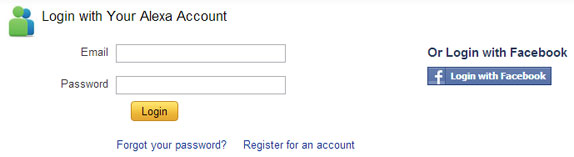
- Visit Alexa.com and create an account.
- Now log in to your account. If you don't want to create new account then you can also log in with your facebook account.
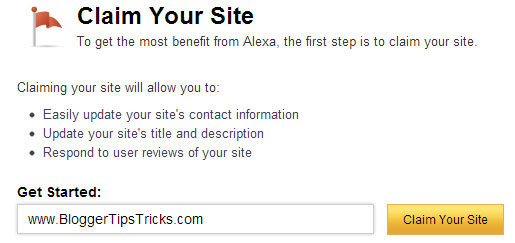
- Now go to alexa site owner page.
- Now enter your blog/website domain name and click on Claim Your Site button as shown in below screenshot.
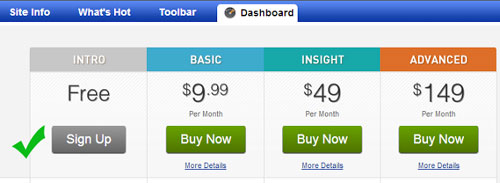
- On the next page you will get all the plans and prices that alexa offers. As being a blogger I recommend you to choose Free plan. Click on Sign Up button under "Free Plan".
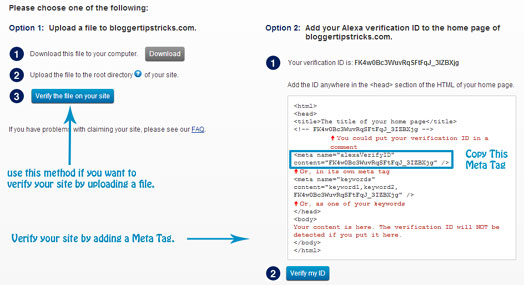
- Once you click on sign up button, on the next page you will see two verification options.
- If you are a blogspot user then choose Option 2 and add a meta tag in your blog template under <head> section. Before adding meta tag please backup your blog template.
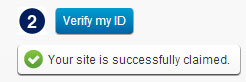
- After adding meta tag in your blog, go back to alexa and click on "Verify my ID" button.
- If everything is right, you will receive a confirmation message like below picture.
- Click on continue to add your site details. Fill all the details like your site title and description, alexa rank in country and fill your public contact information.
- You are done!
Final Words!
This was all about how to claim site / blog on alexa. If you want to improve your alexa ranking then submit you site in alexa today. Please leave your valuable feedback and comments about this tutorial. Thanks! Peace :)


